


Most online course issues surface when learners start interacting with the course. A simple task for you is not necessarily easy for learners who have just started the course. A video may not be mobile-friendly. Learners may need to use information you didn't provide. You risk refund requests, negative reviews, and even complaints if you identify these issues after your course launches.
Testing lets you find problems learners will notice before they pay. Testing lets you verify whether your course delivers the promised results, whether students can navigate the course without your intervention, and whether your platform works from registration to the end of the course.

Why You Should Test an Online Course Before Launch
Testing your online course before launch benefits not only students but also you as the course owner. You know about the topic. So what seems obvious to you may not be obvious to beginners. Testing will reveal such things and prevent problems with students.
It will also help you see whether your students can achieve the goal you set. If your students complete the module but cannot perform the required task, it indicates that the module needs more explanation or more practice.
Moreover, you can notice the content that does not add value to your course but takes much time to complete.
Early course testing will positively affect the course launch. Students will have fewer technical issues, understand the structure more easily, and need less support at the start.
Define What Success Looks Like Before Testing
Before testing the course, determine what success is for you. First of all, you need to think about the main learning objective of the course and what knowledge, creation, solution, or performance students need to achieve at the end of the course. Then link the modules to the course's main goal.
Afterward, you will have to select a small number of metrics that will help you find out whether your students progress or not. These metrics can be such things as lesson completion, quiz score, assignment score, time spent on complex sections, changes in students’ confidence, etc.
In addition, you need to establish the questions that the test should answer. For example: Do students understand the instructions? Can they complete the main assignment without additional help? Do they lose interest in the particular module?
Setting the goals will help you to easily interpret the feedback. If there are no goals, then even if you receive a lot of feedback from your students, you won’t be able to understand what needs to be changed.
Test the Course Content Yourself First
First of all, try completing the entire course for yourself – as a student. Consider creating a new account for testing purposes in case it is allowed by your learning management system. Start your test with the welcome page, follow all lessons, take all quizzes, and download all resources.
First, pay attention to the learning flow. Every lesson should prepare your students for the following one. Are you introducing all the terms beforehand? Is everything explained clearly in simple words? Do you have enough examples to be clear to a newcomer?
Secondly, test your learning pace. A 40-minute lesson may contain only 15 minutes of valuable instruction. Divide lengthy lessons into several short pieces in case the topic changes. Your students should understand what they are going to learn, why it is important, and what they are supposed to do.
Test every aspect of the course:
-
Can your students understand the lesson independently of any additional information?
-
Do your examples correspond to the skill you are trying to teach?
-
Do your quizzes check knowledge provided in the course?
-
Are your assignments relevant to practicing the desired outcome?
-
Can your worksheets, templates, and downloads be opened properly?
Be careful about the moments when you stop while testing. It is possible that you will need to search for a button, reread instructions, or remember something from another module.
Take notes while testing your course. Fix all errors, but collect all significant changes for further review. With this approach, you will create a better version of your course to present to your beta students.

Run a Beta Test With Real Students
A beta test exposes your course to people who share similar qualities to your future students. Testers should have the same experience level, goals, and pain points as your future learners. Having five to ten testers willing to dive into your course will give you more insights than a larger group of passive testers.
It is advisable not to choose friends, coworkers, or fellow course creators for the beta test because they may have too much understanding of your course objectives, be afraid of giving criticism, or simply have different skills than your future students. Try recruiting people who can look at the course objectively.
Access to the course can be offered for free or at a reduced cost. Testers should know that the course they join is in beta.
Make sure your testers complete the course in the same way as they would normally. Avoid answering unclear questions through personal messages because if there are several students with the same question, then it is necessary to change the explanations in your course.
What to observe:
-
Where do the testers stop?
-
Which lessons do they repeat several times because of confusion?
-
Which assignments do they skip?
-
Where do they require some help?
-
Where do they face no problems completing any lesson?
While completion rates matter, talking to students can give you insight into why they stop at some point. The person who stopped in the third module may have become less interested in the course, run out of time, or had difficulty completing a task.
Your main purpose is to experience your own course as a beginner.
Test the Student Experience and Technology
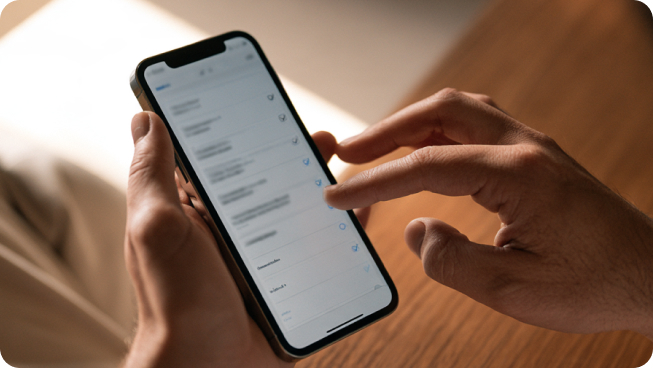
Course testing is just as crucial as lesson analysis. If a student can't log in, play videos, download documents, or move to the next module, it can destroy trust in an instant.
Set up a brand new student account and go through everything, starting from signing up, all the way until you finish the course. Don't test your course only from the administrator's point of view, since a student sees things differently.
Test the course on a laptop, a tablet, and a smartphone. Try using various browsers if you can. Pay attention to navigation, buttons, video playback, page loading speed, and text readability.
Here is a list of the major technical components of the course:
-
Signing up and logging in
-
Checking out and receiving payment confirmation
-
Video and audio playing
-
Downloads
-
Quiz results and submission of assignments
-
Tracking progress
-
Internal and external links
-
Automated emails and notifications
Make sure your beta testers notify you of technical problems right away, along with the devices and browsers being used, because issues may appear only with specific combinations.
Also check what happens in case of problems. Can a student easily reset their password, repeat the payment, or contact the support team without browsing the entire website?
A flawless course experience minimizes the friction that distracts learners. Testing these processes before opening registration makes it easier for learners to focus.
Test Your Pricing and Course Offer
Test the offer in addition to the lessons. Even the best course would not be successful if students cannot grasp the value of their purchase.
Make beta testers analyze the sales page or course description before taking part in the beta program. Find out if they know the following:
-
Who the course is aimed at
-
The problem the course solves
-
The expected results
-
Lessons, materials, and assistance provided
Test the pricing. Even if beta testers give positive reviews about the course, it doesn't mean people will buy it. To check the demand, you may use a paid beta program, waitlist, or early access at a lower price.
Do not change the pricing based on one reaction. Pay attention to several conversations and sales attempts. If people see the value but won't buy the course because of the high price, you may need to adjust the positioning, proof, or package.
A test allows you to find out if students want the result badly enough to pay for your course.
Collect Useful Feedback
Constructive feedback shows what needs fixing and explains why. Avoid questions like "Did you like the course?" when you give general answers. Students should be asked about specific moments in the process.
Good questions to ask are the following:
-
Which was the toughest lesson?
-
Where were you confused? Which lesson was not clear to you?
-
Which lesson brought you the most benefits?
-
Is there anything left unexplored?
-
Which part of the course was excessive and not needed?
-
Were you able to do all assignments on your own?
A combination of surveys and interviews is recommended. The survey allows collecting data from the testers, and the interview helps to ask additional questions concerning the problem.
Do not use the testers' feedback as the only source of information. Analyze the feedback provided by the student and their actions during the testing process. For example, a tester can say that they found the course simple but repeat one lesson many times or omit one assignment.
Categorize the comments of the testers, and find out how often the same comment is made. Frequent problems require more attention than some individual preferences of the testers. Your aim is to identify the places of difficulty and obstacles in learning.
Prioritize Changes Before Launch
Once you receive all your feedback from the beta testers, determine what needs to be improved before launching the product. Don't redesign the entire course based on suggestions from each individual tester. Instead, group the feedback by importance.
Consider using the following categories:
-
Critical issues – problems that impede the learning process, hinder the user's access to the course, break payments, or prevent understanding the instructions.
-
Important changes – improvements that increase clarity of the content, smoothness, and ease of the process for the learner.
-
Nice-to-have changes – preferences, minor design changes, or additional features that have no direct relation to the primary learning outcome of the course.
Deal with the critical issues first and foremost. Then analyze the feedback that appears frequently among several different beta-testers. Any lesson, task, or navigational aspect that proves problematic for many students is likely important.
Do not take all isolated pieces of feedback at face value. One student might not like video format while another enjoys watching them. Individual preferences do not always require changes.
Once you revise your course, conduct another round of testing for the updated portions. Have the testers go through the problematic parts again to check whether you successfully addressed the issue.
Do not try to satisfy all opinions. Consider only changes that eliminate unnecessary friction, protect the primary learning result, and improve the course.
Final Pre-Launch Testing Checklist
Perform one more check from the student point of view before enrolling your users in the course.
This is what you need to look at now:
-
Learning outcomes are realistic.
-
Lessons are in the right order.
-
Videos and audio are playing smoothly.
-
Links and downloads are working properly.
-
Quizzes and assignments work fine.
-
The course is mobile-friendly.
-
Registration and checkout work from beginning to end.
-
Confirmation and welcome e-mails are sent.
-
Instructions guide your students through the actions they have to take.
-
You've read the feedback from the beta users.
-
Major learning issues have been addressed.
-
Your students have access to customer support in case they need help.
Repeat the course one more time, but use a brand new account this time. Pay attention to the first lesson, the payment process, e-mails, navigation, and completion.
You don't have to make your course perfect before launching. You just need to make sure all the critical areas are working, and your students can learn.

Conclusion
Testing your online course before launching allows you to identify issues when it is easier to correct them. You can check how your students perceive the content of the lessons, do their homework, navigate the site, and realize the benefits of your offer.
Check the obvious issues yourself in your review and then use beta students to identify the issues you won't catch on your own. Note where your students have trouble, ask questions, and improve the issues that affect their learning and access to information.
Don't try to create a perfect course. Just try to make sure that it works, looks clear to your students and helps them achieve their goal. Keep working on improving your course after launch by getting feedback and improving weak spots.
