
Learn how to easily unblock your camera or microphone for seamless communication and video conferencing.
Mozilla Firefox
The browser requests access for each recording. Click "Remember this decision" so that the selected camera and microphone are always used. To change the microphone and camera, you will need to reset access:
-
click the button
on the left side of the address bar;
-
using the button
remove permission to use the camera and microphone;
-
refresh the page and select the required device in the access window.
Chrome, Opera
-
Go to opera:\/\/settings\/content\/ (or chrome:\/\/settings\/content) or copy and paste the link into the address bar to configure it.
-
In the "Camera" and "Microphone" sections, select the required device from the drop-down list.
-
Refresh the pages where the camera and microphone are used.
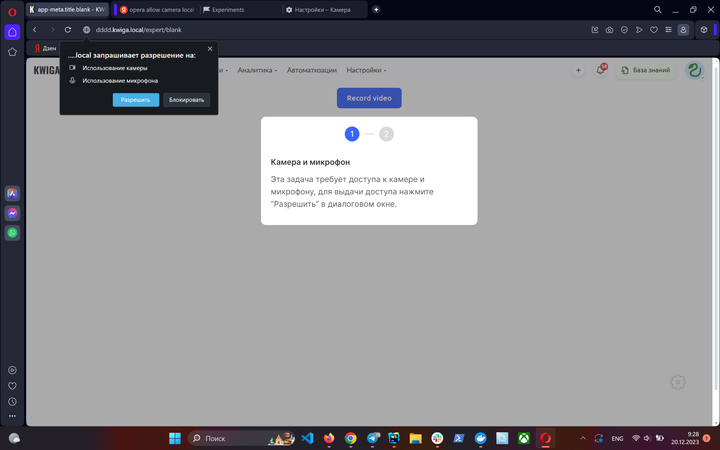
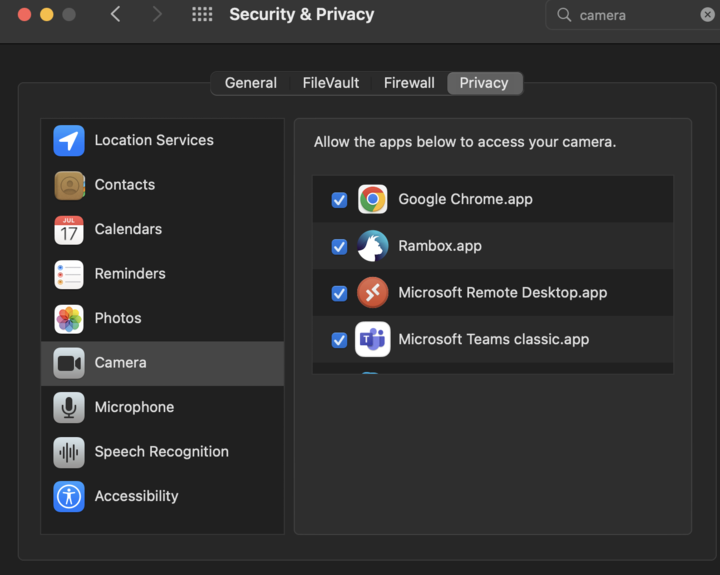
For Mac users: make sure the app has access to the camera in the settings.
Didn't find the answer? Contact the support service via online chat or Telegram