
Articles:
- Data export to Google Sheets
- Connecting the FB Pixel to a project on Kwiga
- Sending a webhook to transfer data to another service
- Zoom integration and usage essentials
- Generating payment links with pre-filled data
- Handling a button click in the widget
- Sending a webhook to KeyCRM with separation of the application and payment.
- Connecting chat services to a Kwiga project
Learn how to send a webhook to KeyCRM, separating the application and payment data for better organization and streamlined processing.
If you need to separate the Application and Payment steps when adding a contact in KeyCRM, then when submitting the CTA form, set up automation to create a contact/tag or send a webhook to create a customer
https://docs.keycrm.app/#/Buyer/createNewBuyer

Method POST
https://openapi.keycrm.app/v1/buyer
And the data (key = value):
{
"full_name": "{contact.name}",
"email": ["{contact.email}"],
"phone": ["{contact.phone}"]
}
You can find additional fields that can be passed in the documentation. If you are not sure which variable to use for this, contact support.
Then set up some event for order payment to send the order
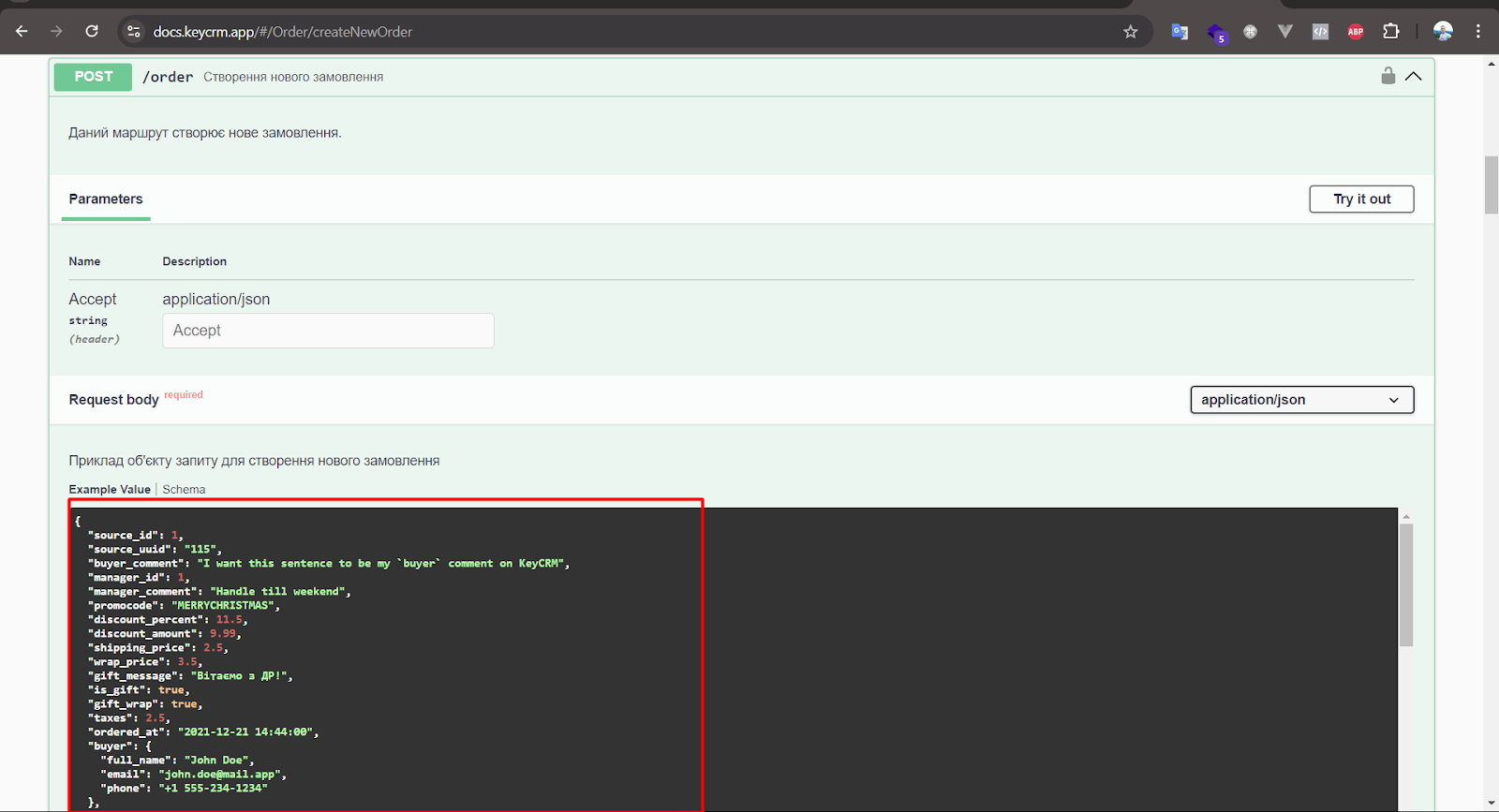
https://docs.keycrm.app/#/Order/createNewOrder
Method POST
https://openapi.keycrm.app/v1/order
In source_id, specify the required source. See below for how to get it.
{
"source_id": 111,
"buyer": {
"full_name": "{contact.name}",
"email": "{contact.email}",
"phone": "{contact.phone}"
},
"products": [
{
"title": "{order.title}",
"price": "{order.price}",
"purchased_price": "{order.price_discounted}"
}
]
}

Getting source_id in KeyCRM.
Go to Settings - Sources. Add a new source, and after that in the general list of sources you will be able to get the required ID.


---
! Important, you need to add an authorization header to both requests
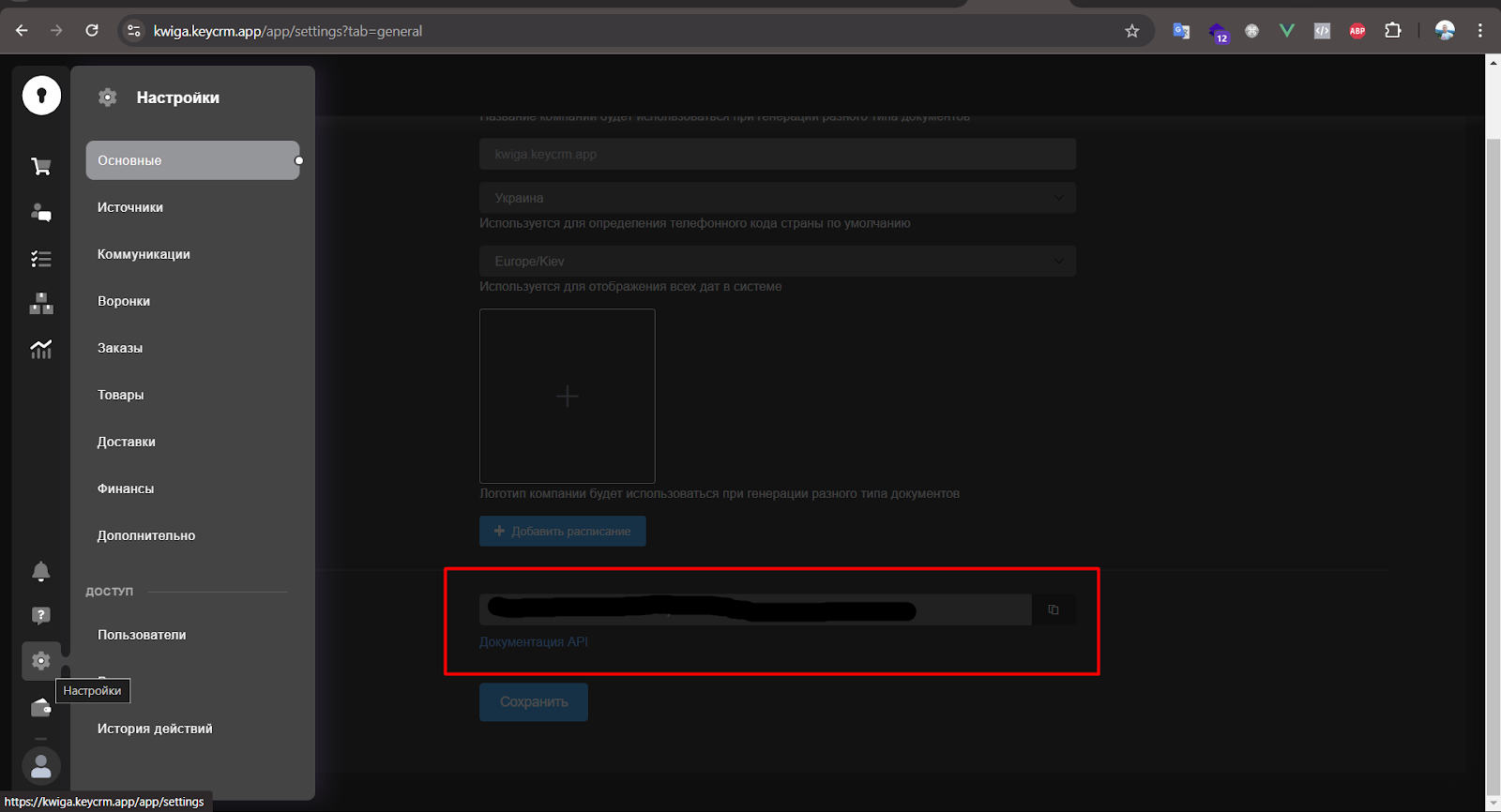
First, in KeyCRM go to Settings -> General -> API key, create it, then we will copy it
In webhooks, in the Headers tab, add the header
Authorization = Bearer {key from key crm}
Didn't find the answer? Contact the support service via online chat or Telegram