
Articles:
- Contact capture form
- How to add a widget code to your website
- Tracking visits from the landing page through the widget
- Mini landing pages
- Adding a request form (widget) to a Weblium page
- Adding a request form (widget) to the Sendpulse page
- Adding a request form (widget) to a Wix page
- Displaying the Course Program on Your Website
- Adding an Online Chat for Students to the Kwiga Platform
- How to Create a Contact Collection Widget
- Widget Statistics: How to Track Effectiveness
- How to add one or more plans in the widget or contact collection form
This describes how to create a mini landing page and how you can use them for quick student registration, accepting applications, and sales.
The website builder on Kwiga is under development, but you can create mini landing pages. Mini landing pages let you create pages quickly and easily using a simple builder.
You can add the following to a mini landing page:
-
Blocks with images and text
-
Add
-
Buttons that you can connect to form widgets in just a couple of clicks, or simply add links to
-
Timer
-
Forms for data collection
-
Embed videos from Youtube, Vimeo (using iframe), and also embed any other elements (games, tests, presentations, and files) via iframe.
Examples of mini landing pages:
How to create
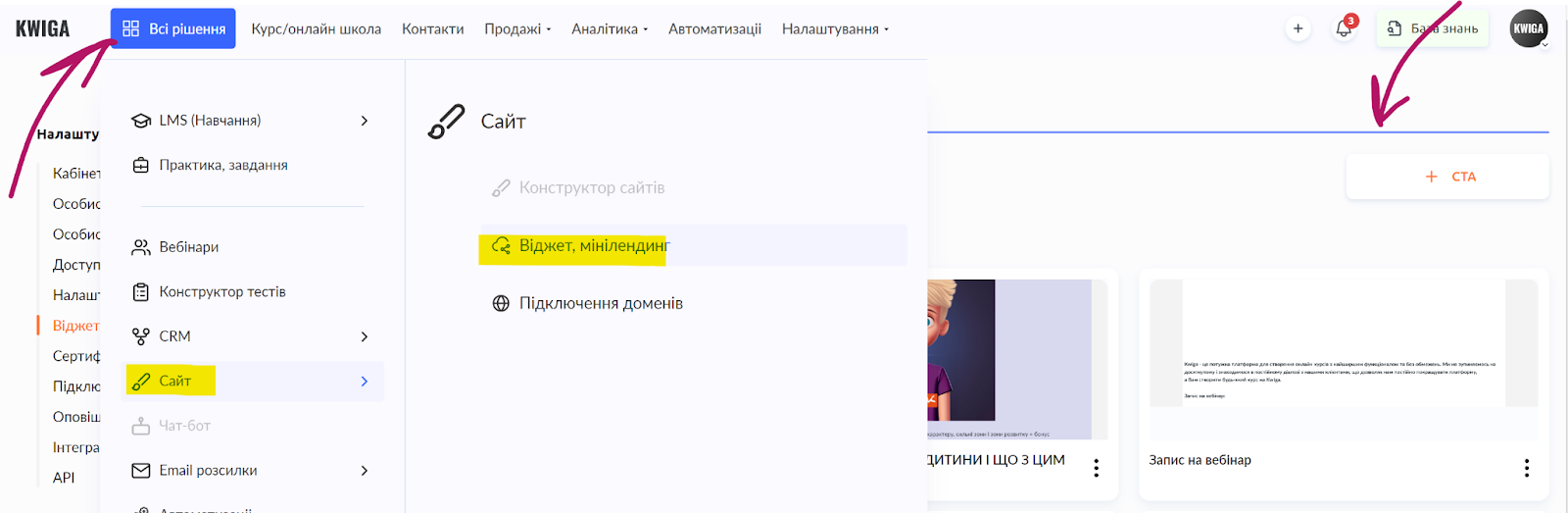
In the top menu, click the All solutions button, then select Website - Widget, mini landing page. On the page that opens, click the +CREATE:
You will be taken to the builder page, where you can create information blocks, forms, and insert code. More details on how to work in the builder are shown in the video:
To get the address of your mini landing page, save the changes and exit the editor (or open the list of Widgets and mini landing pages. Find the нужную page and click the three-dot menu, then select Widget code:
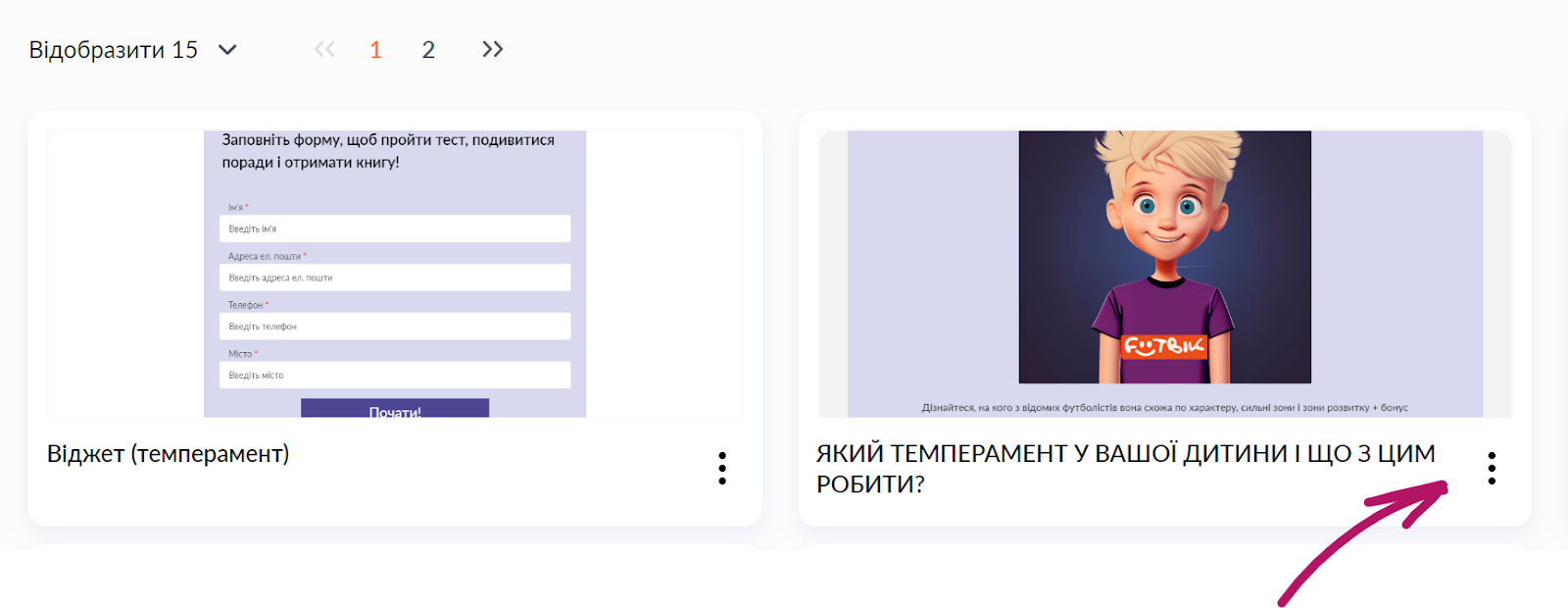
Go to the Mini landing page link tab, where you will see the page link (marked in blue):

Usage examples
Mini landing page with a payment form or quick course registration
If the standard student registration on Kwiga does not suit you, or if you want to customize this process, we recommend using a mini landing page and a payment widget (or your own landing page and a widget from Kwiga), and also taking into account the option of payment without authorization.
In the example below, we will show how to create a mini landing page and add a payment widget to it.
Mini landing page with a course catalog
Mini landing pages let you create catalogs of your courses with the necessary registration and payment links. You can create themed selections by arranging products in the required order.
Didn't find the answer? Contact the support service via online chat or Telegram