
Articles:
- Contact capture form
- How to add a widget code to your website
- Tracking visits from the landing page through the widget
- Mini landing pages
- Adding a request form (widget) to a Weblium page
- Adding a request form (widget) to the Sendpulse page
- Adding a request form (widget) to a Wix page
- Displaying the Course Program on Your Website
- Adding an Online Chat for Students to the Kwiga Platform
- How to Create a Contact Collection Widget
- Widget Statistics: How to Track Effectiveness
- How to add one or more plans in the widget or contact collection form
1 year ago •
Updated
Adding the widget in the Wix website builder.
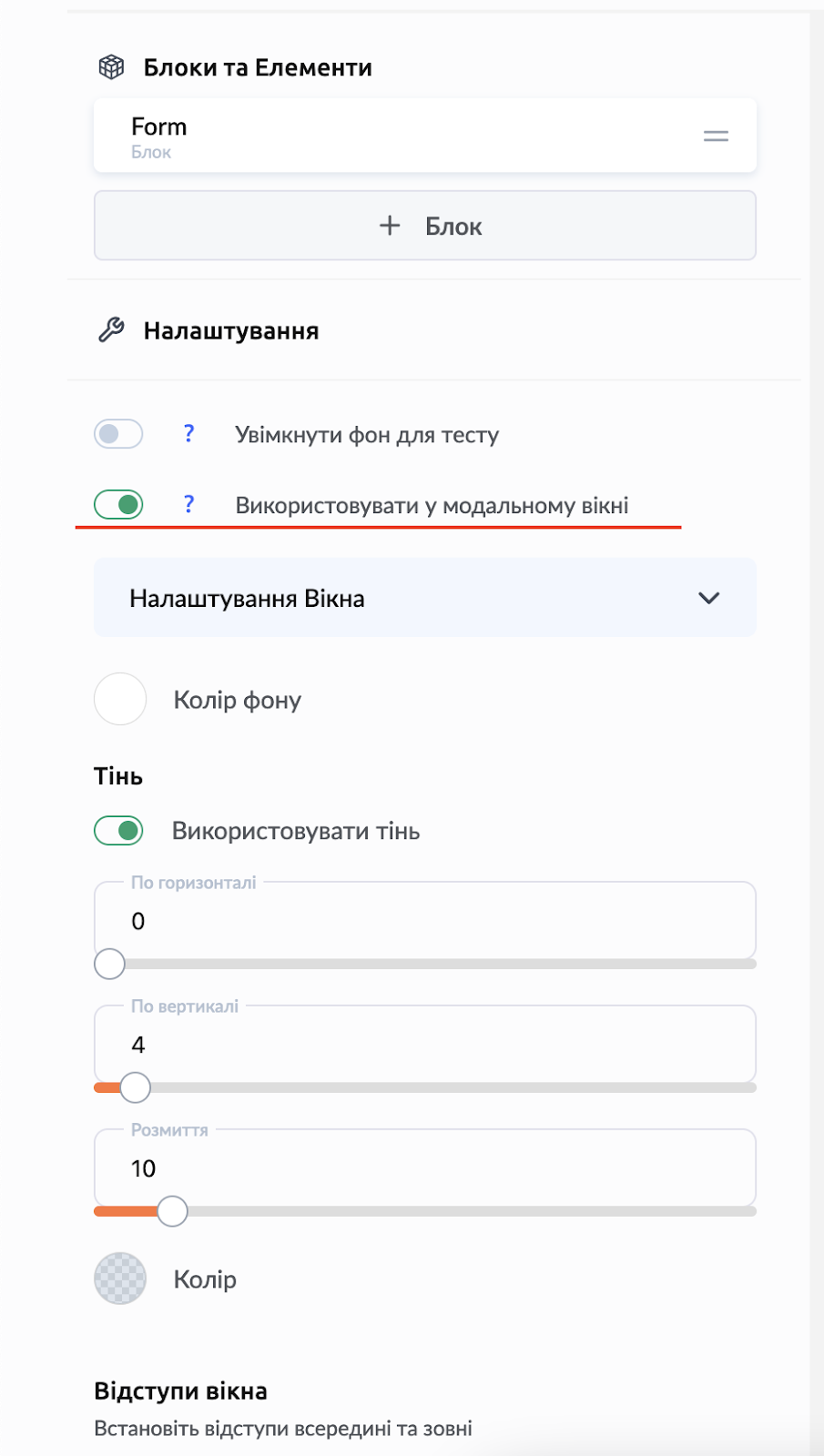
1. Enable the “Use in modal window” option for the desired widget
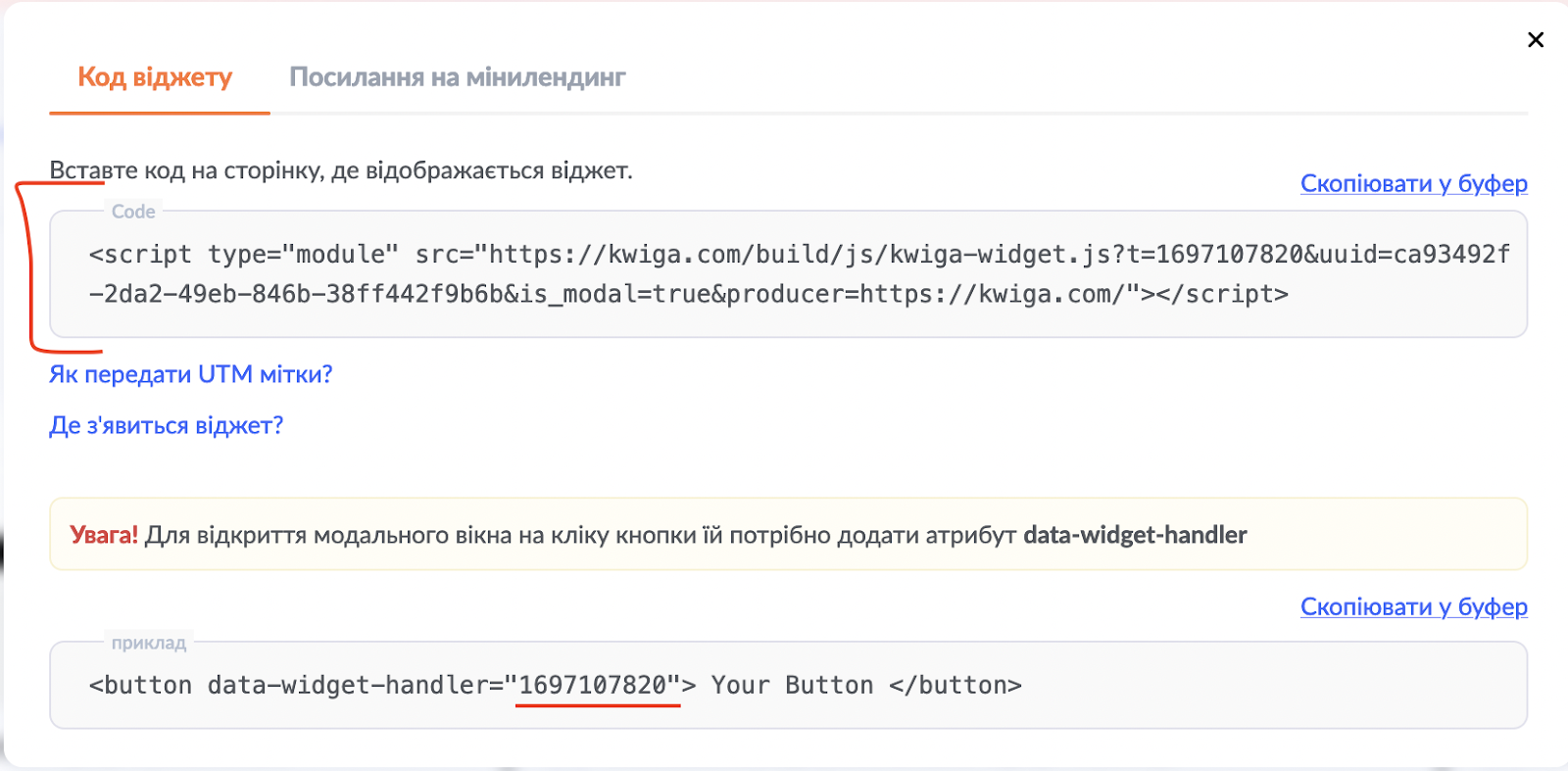
2. Copy the widget code and the data-widget-handler parameter value
3. Go to Wix
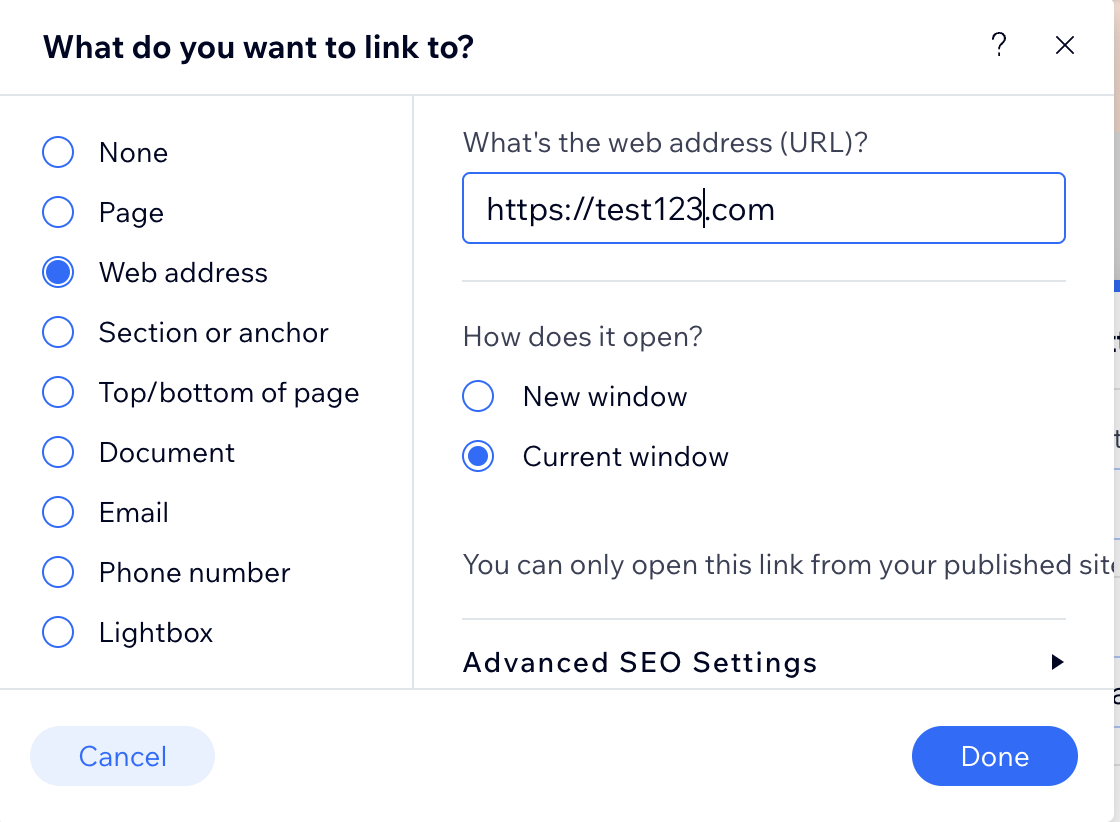
a. Add a button in the desired place on the page and specify a URL for the button.
The URL can be anything; it is needed so that later we can find this button by this URL and replace it with the data-widget-handler parameter of your widget.
b. Go to the Custom Code section
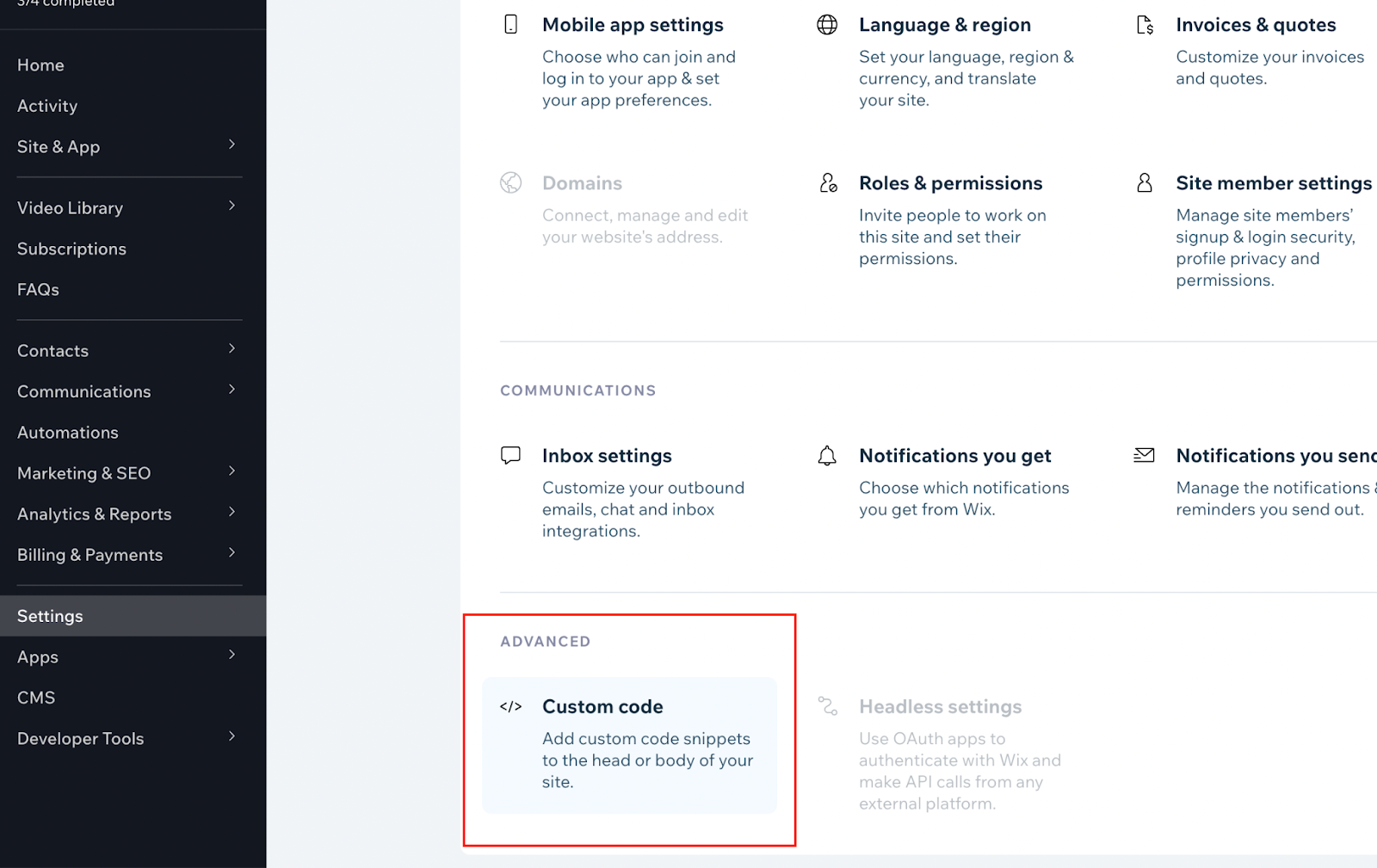
c. Add the widget code from step 2 to the Head section
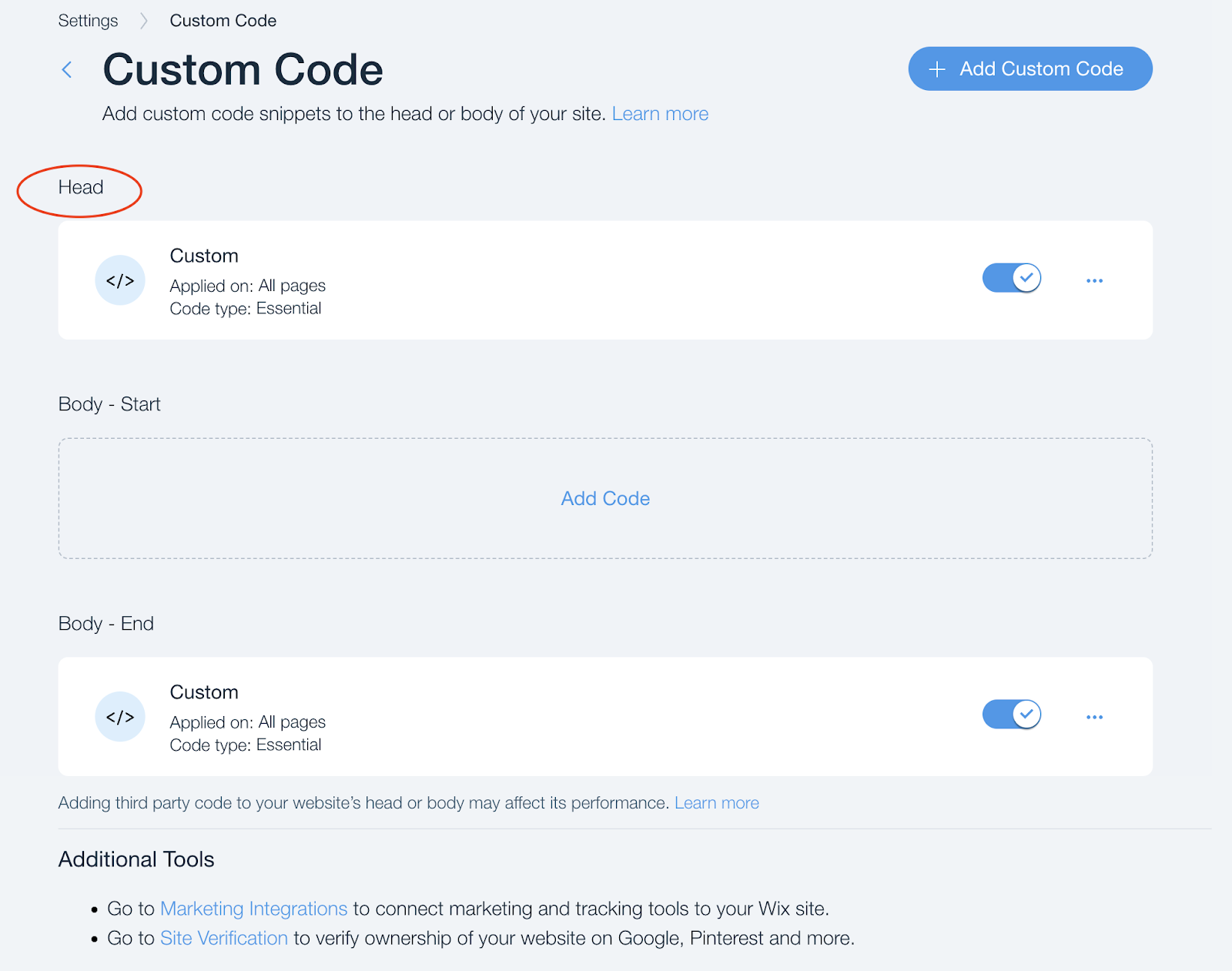
For example