Several prices for one online course plan: an early-bird price for the first buyers, a weekend promotion, the regular price afterwards — each with its own validity period, payment procedure, coupons and points. Buyers see the price that applies right now, and prices switch on schedule by themselves. A plan is set up in the builder: open Sales settings → Plans (offers) and click the plan. Plans created earlier are converted the first time you open them: their price and unfinished discounts become separate prices.
The plan builder
Settings are split into tabs: Description — the customer and system names, an image and a description; Products; Price; Payment collection; Upsells (cross-sell, order bump); Publication — the "Draft" or "Public access" status and a direct payment link, including one via a specific payment system. The eye icon in the header (Preview) opens the plan's public page in a new tab, so you see what a buyer will see. Selling a plan through a funnel is covered in a separate update on sales funnels.
Several prices for a plan
On the Price tab each price is a card: whether it is available, its validity period, payment procedure, coupon, points payment, amount and sales limit. + New price adds another one, and you can start it as a copy of a price you already set up (Copy price settings). Only you see the card title, and the Price active switch takes a price off sale without deleting it. Inside a price:
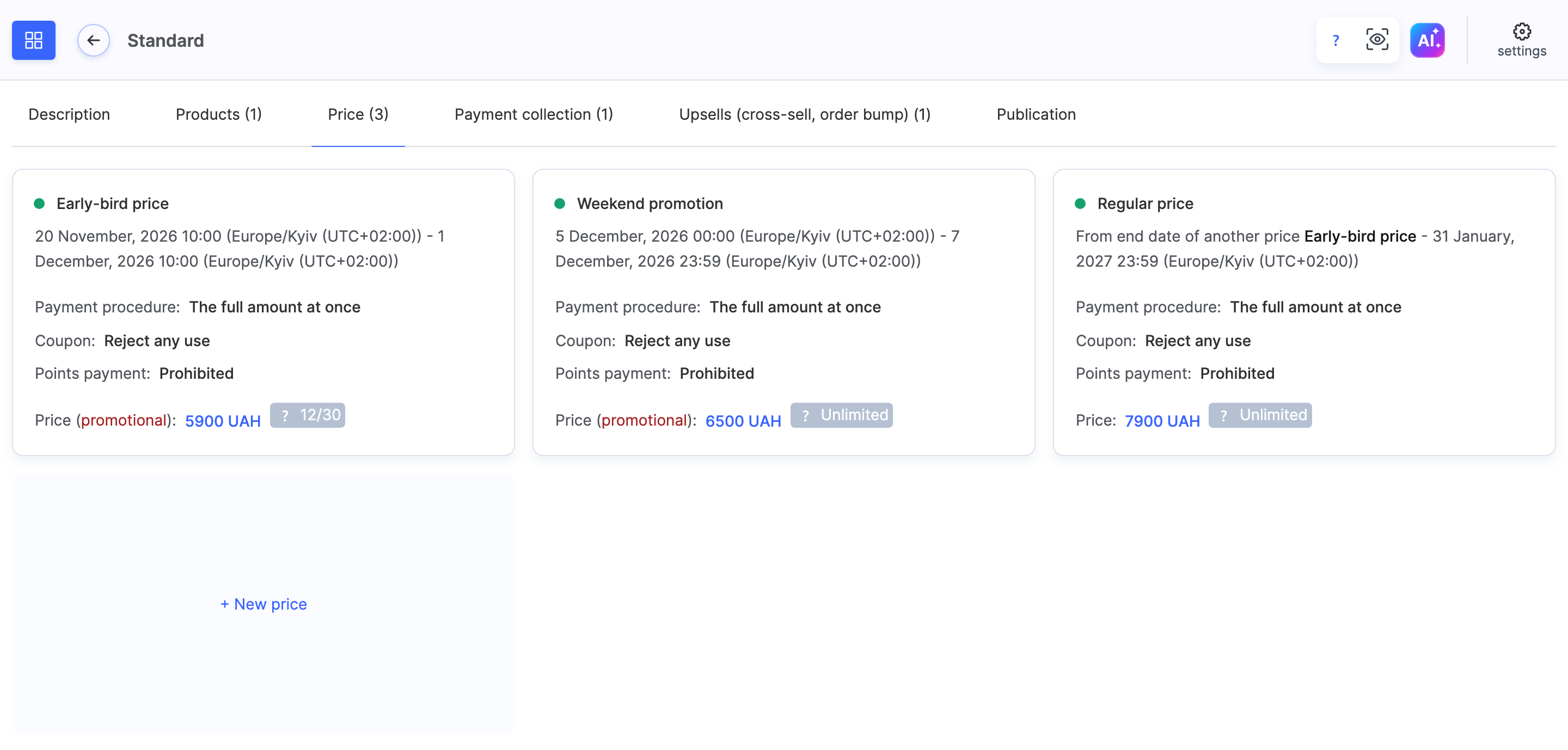
- Payment procedure — "The full amount at once", "In parts" (equal installments, a special schedule or installments from the bank) or "By subscription";
- Set a trial access period for the product — free or paid;
- The current price is promotional — with the price without a discount;
- Number of sales limit and Disable repeat purchases;
- Allow a discount coupon and Points payment, upsells included.
Every setting step by step is in the article Plan price builder: several prices, validity periods and priority.
Early-bird price, promotion and countdown
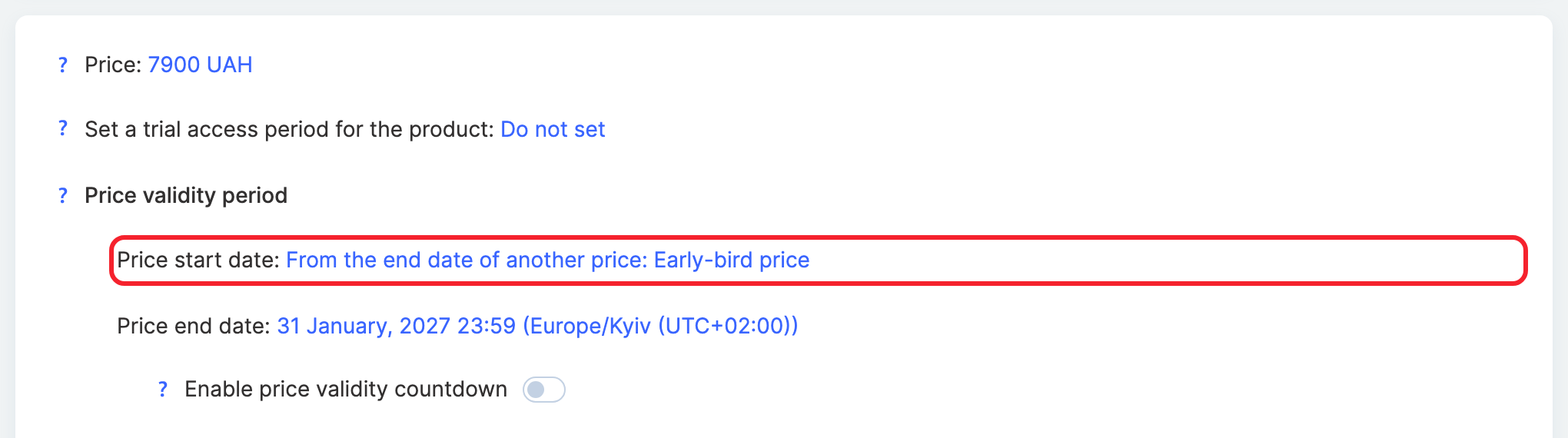
Price validity period sets when the price is available on the order page. It starts on a specific date or From the end date of another price; it ends on a date, in N months / days / hours, never, or Until all spots are sold. That is how a chain is built: an early-bird price for the first 30 spots, and the regular one starts as soon as they are taken. Enable price validity countdown shows buyers a timer on the plan page, and Automatic countdown restart starts the price again once it ends. More on promotions in the article Promotional offer.
The sales period of a plan is now set by its prices: if none of them applies right now — their windows are closed or the spots are sold out — the plan is not sold, neither on its page nor through a direct link. Direct links are described in the article Direct payment links for a plan.
When price periods overlap
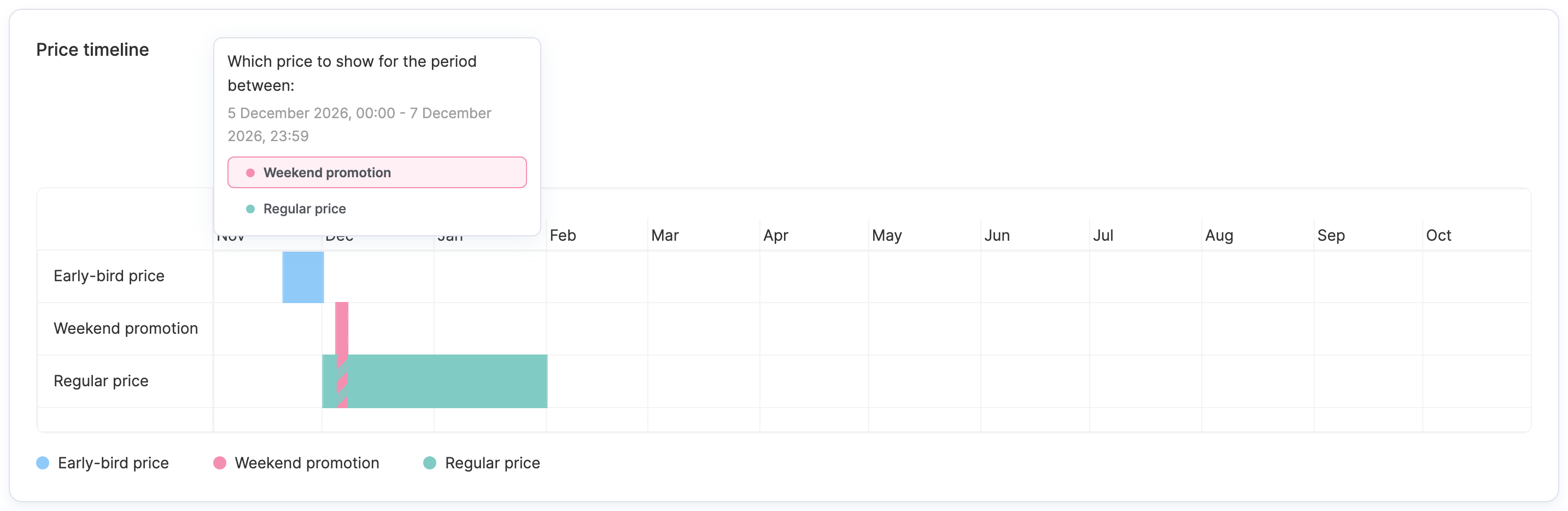
When a plan has several prices, a Price timeline appears under the cards: which price applies in which period and where there is No price. For each overlap you answer Which price to show for the period between:. If you don't choose, the price higher in the list is shown — reorder the cards by dragging them.