
The CRM → Orders section helps an online school take every purchase through its stages, from a new order to payment and access. Working with several order funnels is now easier: they are all in one list, a new funnel can start as a copy of an existing one, and the board gets shorter once you collapse the groups you don't need.
Every funnel in one list
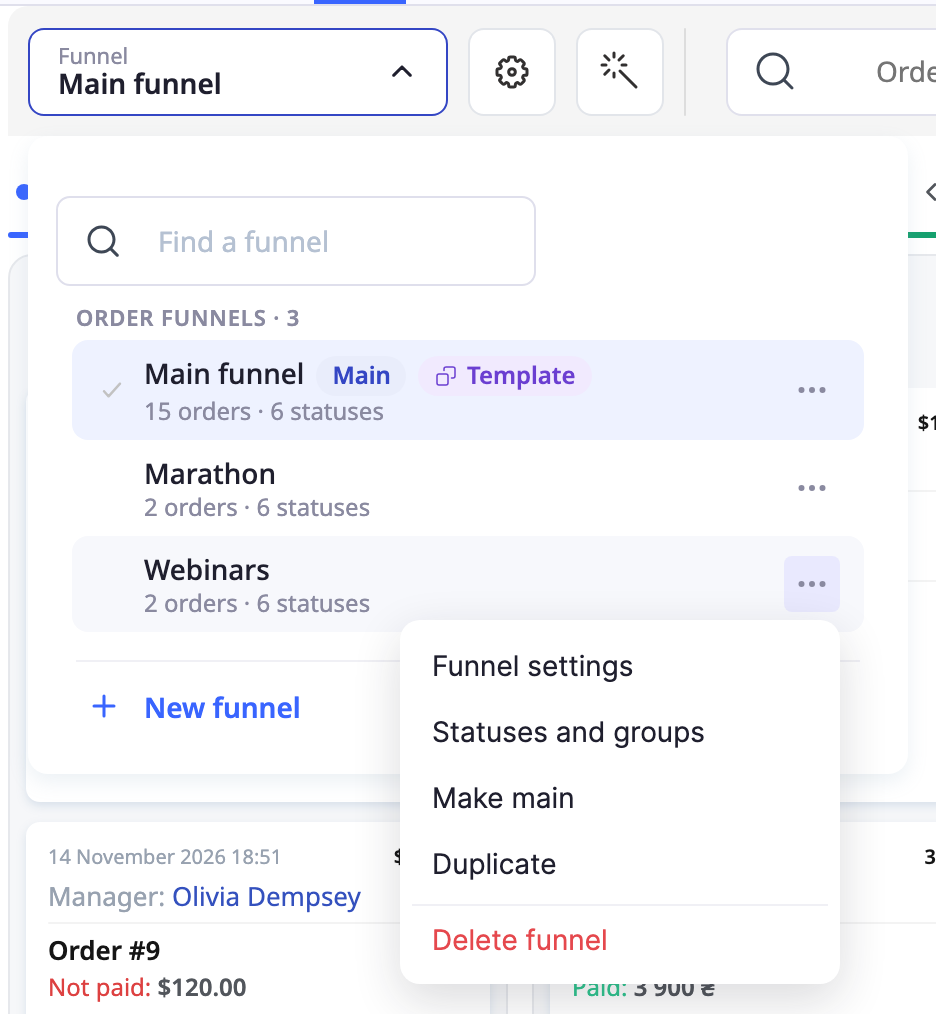
Click the Funnel button in the section header: the list shows how many orders each funnel has, which one is Main and which one is the Template. This is also where you create a New funnel, and the ··· menu of a funnel holds Funnel settings, Statuses and groups, Make main, Duplicate and Delete funnel. A copy takes the groups, statuses and distribution rules; orders are not copied.
The order board
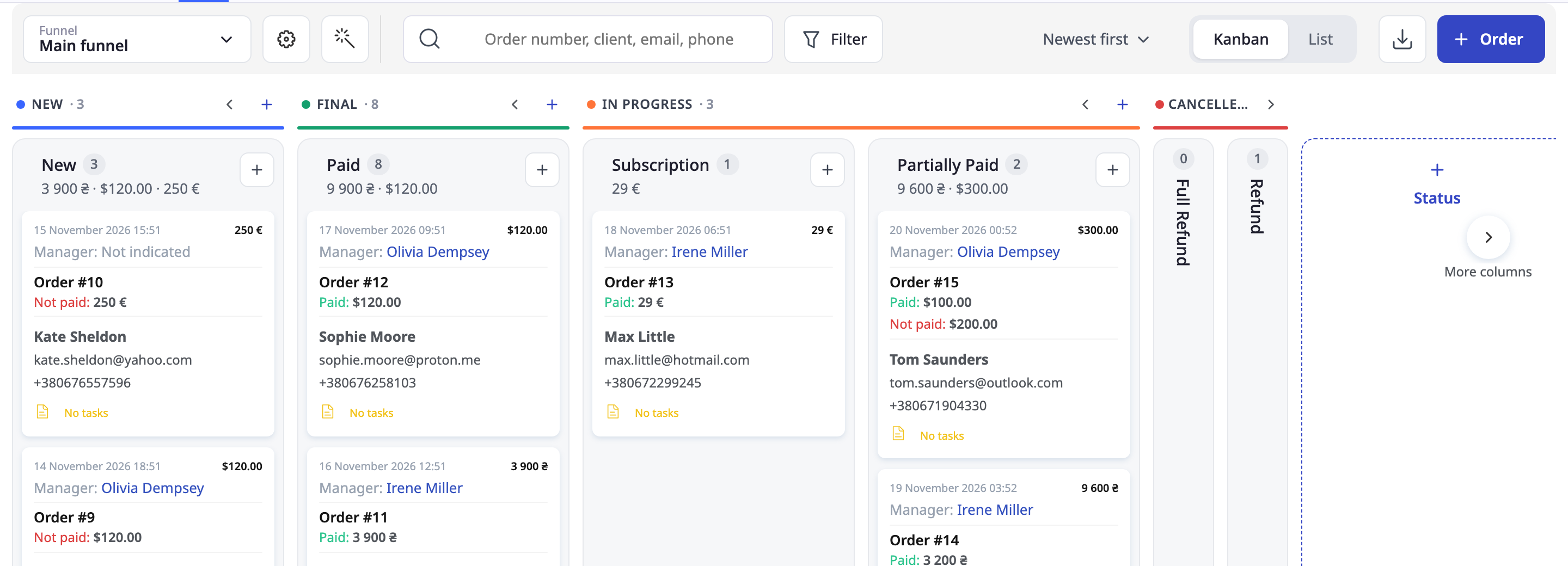
Orders are shown as a Kanban board or a List; you can sort them by date, amount or recent changes and search by order number, customer, email and phone. Status groups collapse, and the group header shows how many orders it holds. The filters now include Person responsible and Amount currency — together with Order total they narrow orders down by amount in the currency you need.
All funnel settings in one window
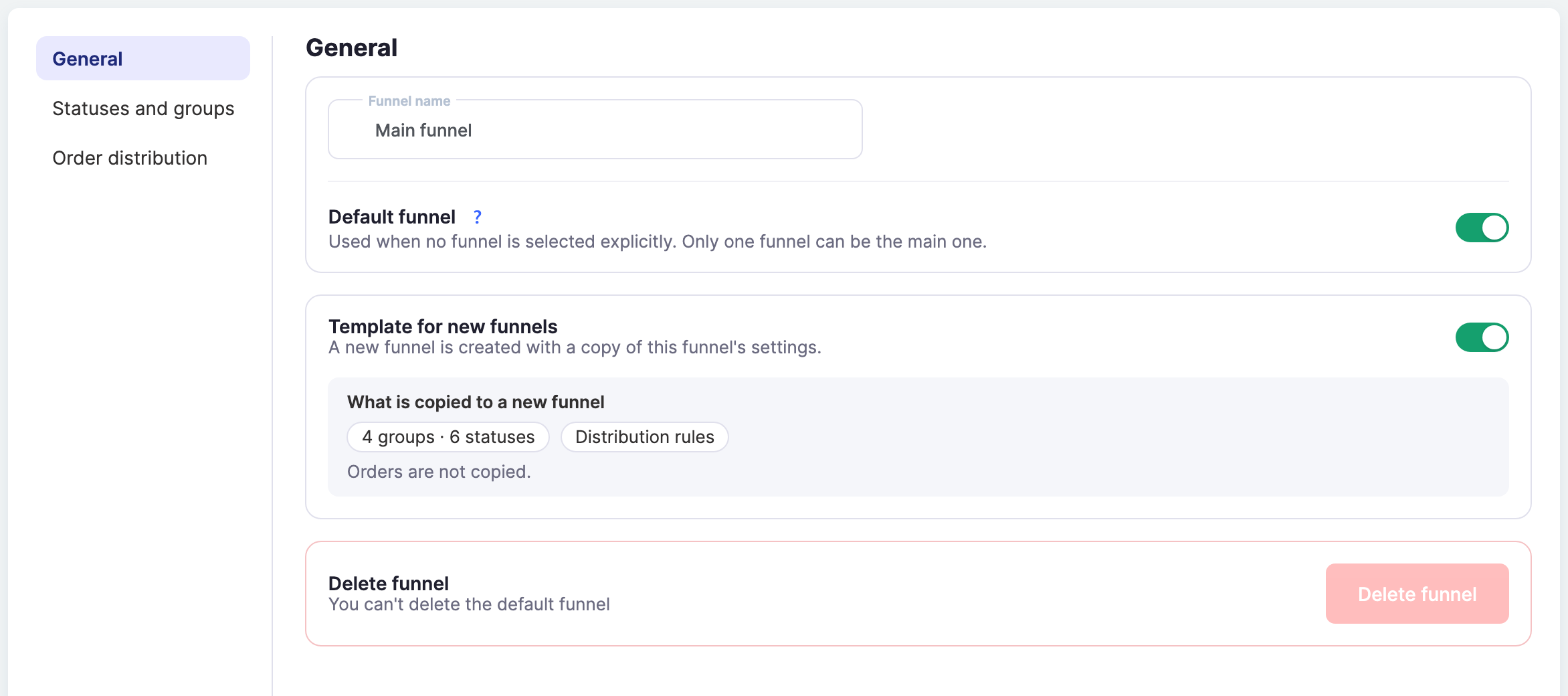
Funnel settings open in one window with a menu on the left: General, Statuses and groups and Order distribution. Under General you can make the funnel the main one or the Template for new funnels: every new funnel then gets its groups, statuses and distribution rules.
Read more in General View of the Orders Section and Funnels: Use Cases and Creating Custom Funnels.