
Articles:
- Homework
- Tests and grading
- Multiple open-ended questions in one assignment
- Fill in the blanks: insert the missing word
- Matching
- How to set up a test so that the student can view their answers
- Enter the word
- List and multi-list
- Form a sentence from words
- Fill in the table (option to fill in the blanks)
- How to Organize Technical Support for Course Participants
- How to Create an MMPI Psychological Questionnaire
- General Information about Quizzes: Creating and Organizing Practical Tasks, Surveys
- Creating and Configuring Style Templates for Quizzes
- Quiz Result Recalculation
- Quiz Randomizer: Creating Dynamic Tests
- How to Export Quiz Responses to a Separate File
- Quizzes, Practices: Question Types
- Practice settings (opening, closing)
- Quiz Setup
What settings are necessary for the student to see their answers and results at the end of the test.
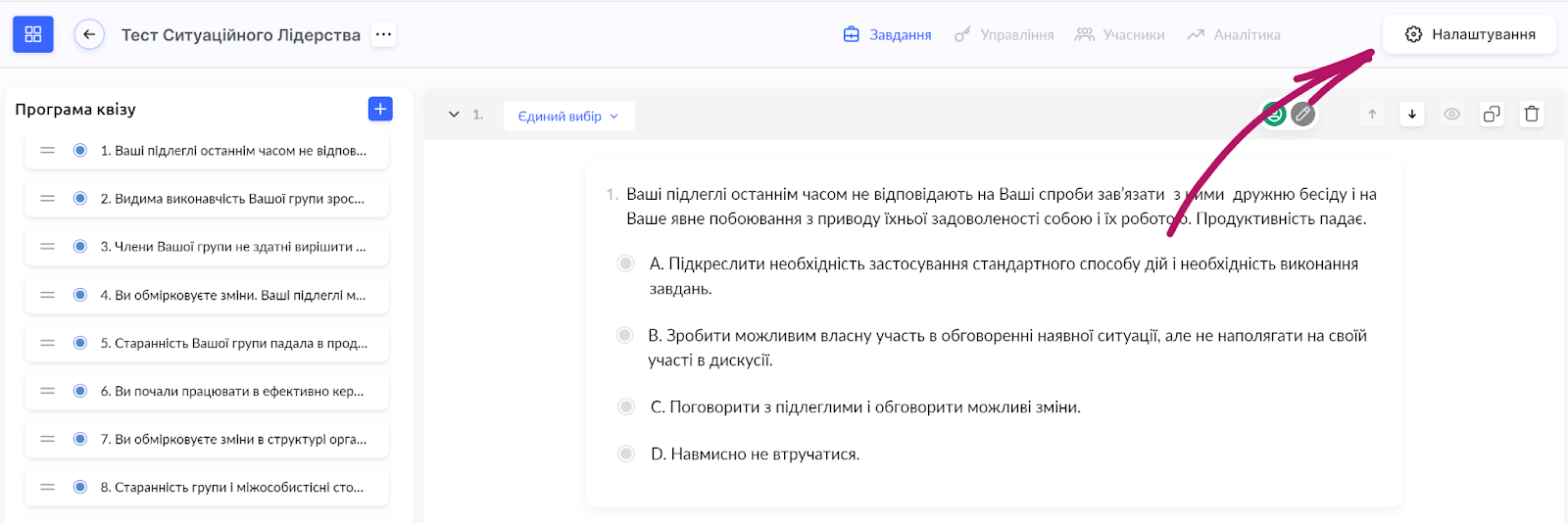
To let a student see their answers after completing the test (quiz), see where they made a mistake (which answer is correct and which is not), go to the builder of the corresponding quiz. Open the quiz settings:
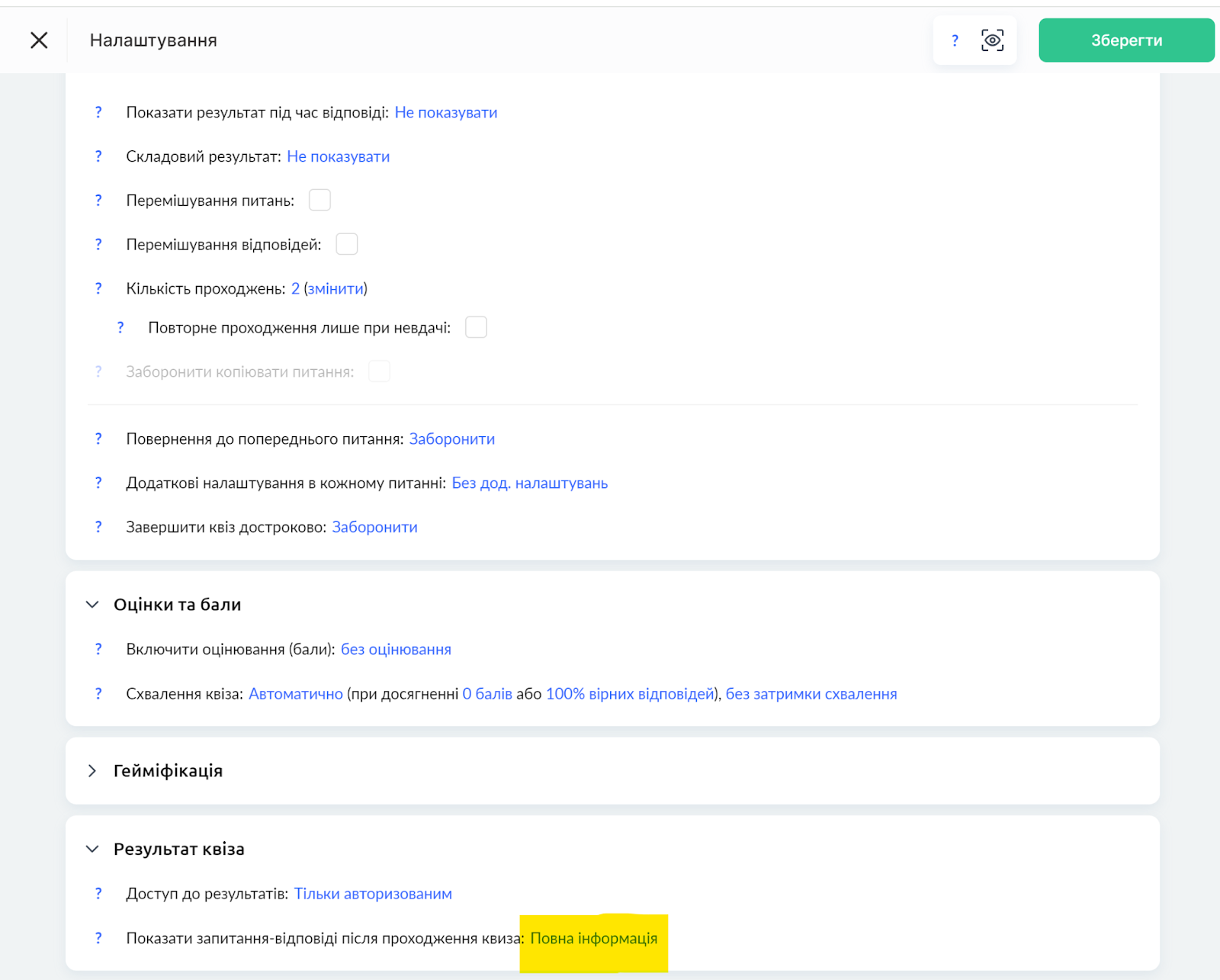
Scroll down to the very bottom of the settings, to the Results section. There you will see an option to configure whether to show questions and answers after completing the quiz:
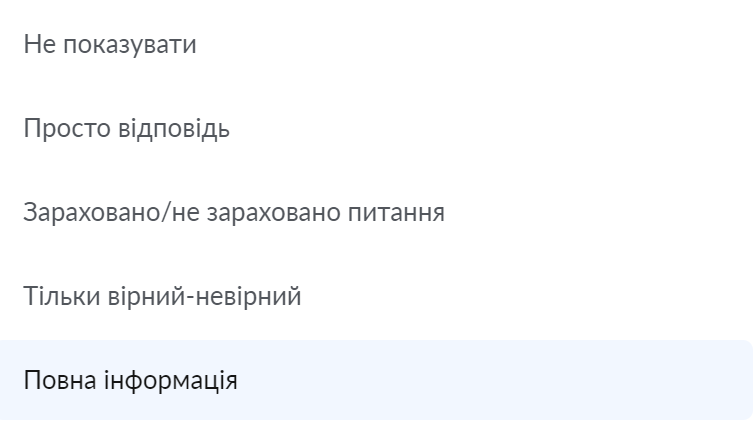
Select the appropriate option that fits your request:
Answer only - in this case, a list of questions and answers will be shown, and the participant's answer will be highlighted. That is, they will only see their answer and will not know whether it is correct or not.
Question passed/not passed - in this case, the participant will only see whether the question was passed or not passed. That is, they will not see how they answered
Correct/incorrect only - in this case, the participant will see whether their answer is correct or not. But if the answer is incorrect, the participant will not be shown the correct option.
Full information - in this case, the participant will see whether their answer is correct/incorrect, and for an incorrect answer they will see the correct option.
Didn't find the answer? Contact the support service via online chat or Telegram