
Articles:
- How to give access to the course
- How to access a student's account
- How to view member progress
- How to Create a Certificate and Add It to a Course
- Automation: Awarding points upon completing lessons
- Conducting surveys (reactions, ratings, NPS)
- How to view all test attempts
- How to set up a test retake
- How to update a student's rate and keep their progress
- How to change access settings for a single student
- How to change the expiration date of the course
- The student entered wrong email
- How to extend access to a course
- Automation: Setting up reminders if a student does not log into the platform
- How to unblock a user
- Freezing and unfreezing access to a product
- How to find an email with a code needed to access Kwiga account
- Viewing the course as a student
- Pre-registration or waiting list.
- Importing and transferring the student database
- Comments: a convenient tool for user interaction
- Certificate Issuance After Passing a Test
- How an Expert Can Access Their Student Profile
- Student Registration and Authorization
- Certificates Report
- Manual issuance and reissuance of a certificate
- Managing products in a contact card: adding, closing, changing the date, and removing access
A report for tracking and managing students’ certificates.
In this article:
The Certificates Report allows you to view and manage all certificates issued in the system. This tool is useful for administrators who need quick access to student certification information. With convenient filters and search, you can easily find the required documents among a large number of records, check the certificate history of a specific student, or generate reports for a selected period.
More details on how to create a certificate are available in a separate article.
How to find the report
To open the certificates report, go to Courses → All reports.
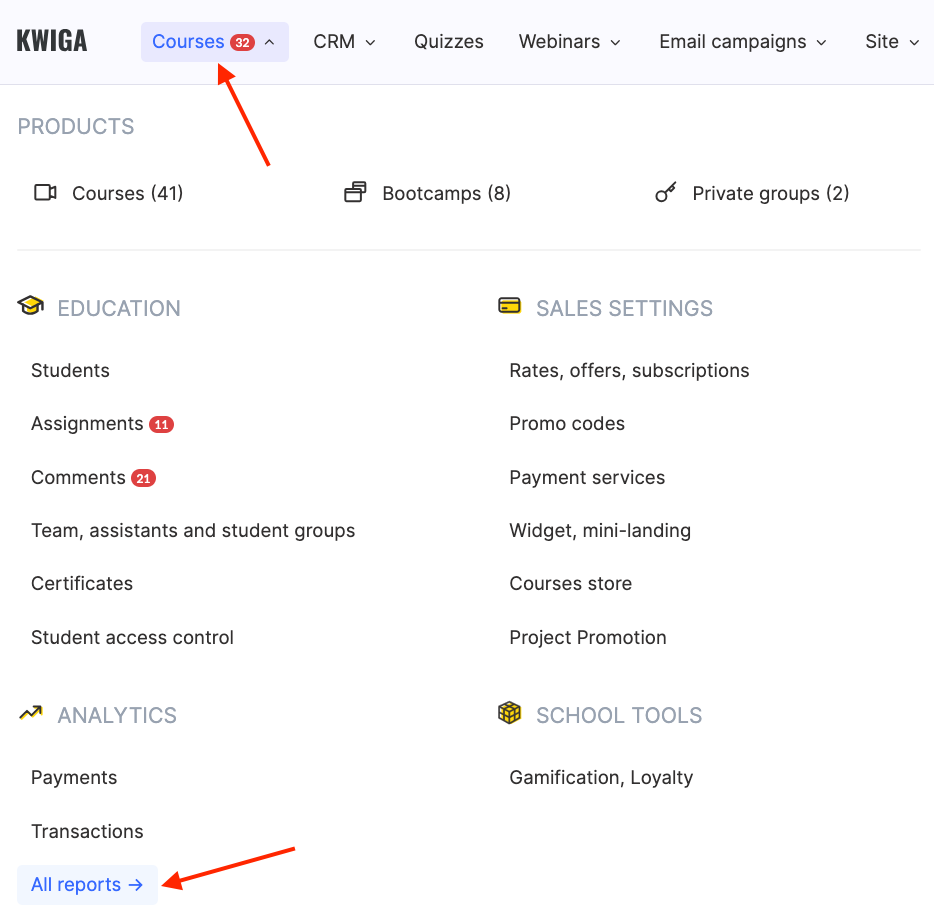
and select the Certificates report.
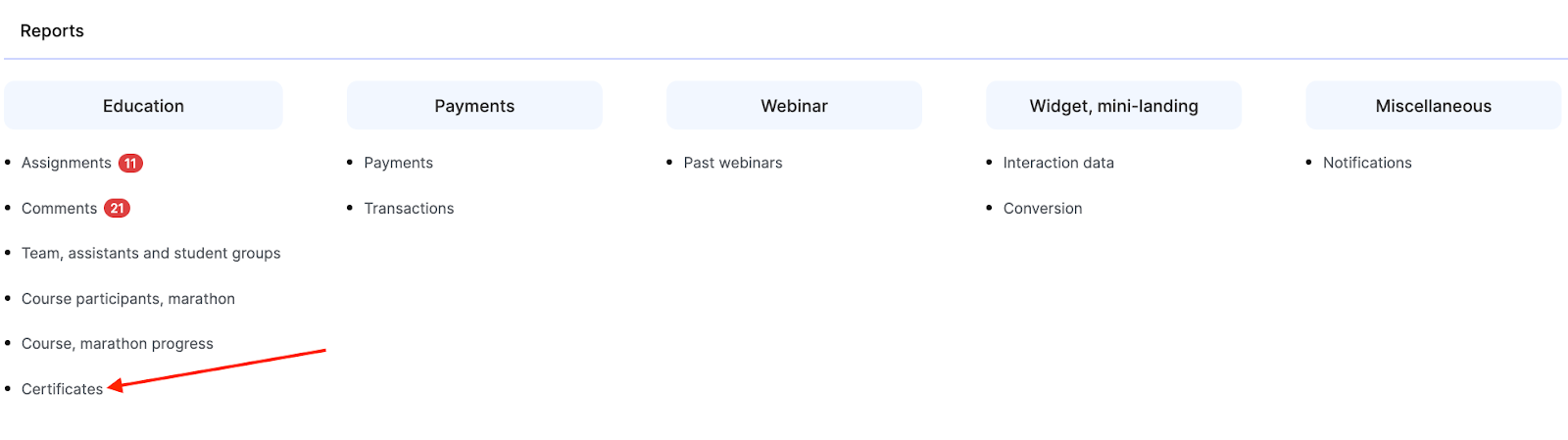
Information in the report
The screen displays a table with detailed information about each issued certificate:
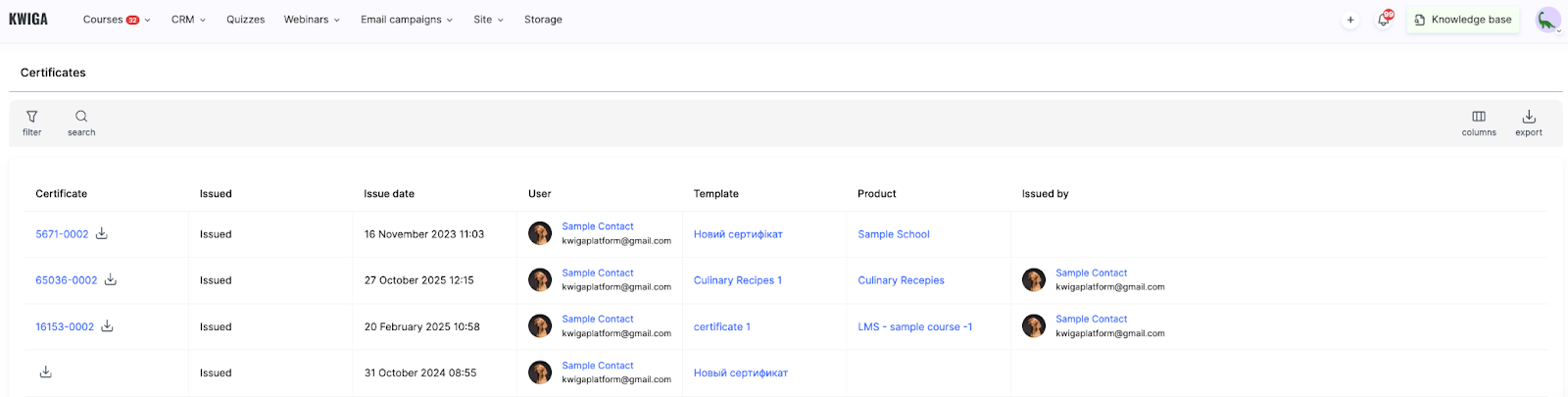
Certificate — a unique certificate number (for example, 5671-0002, 65036-0003). Next to each number, there is a download button for quick access to the certificate file.
Issued — the certificate status showing whether the document has been issued to the student.
Issue date — the exact date and time when the certificate was created and issued.
User — information about the student who received the certificate, including their name and email address.
Template — the name of the certificate template used to create the document.
Product — the name of the course or program for which the certificate was issued.
Issued by — information about the user who issued the certificate if it was issued manually.
Working with filters
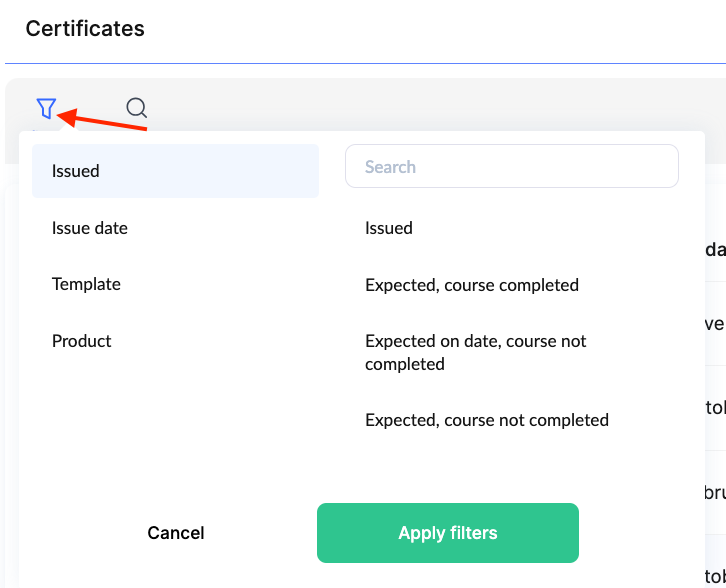
At the top of the report, the Filter tool is available, allowing you to select certificates by various criteria. This is especially useful when you need to find specific documents among numerous records.
Searching certificates
The Search function allows you to quickly find certificates for a specific student.
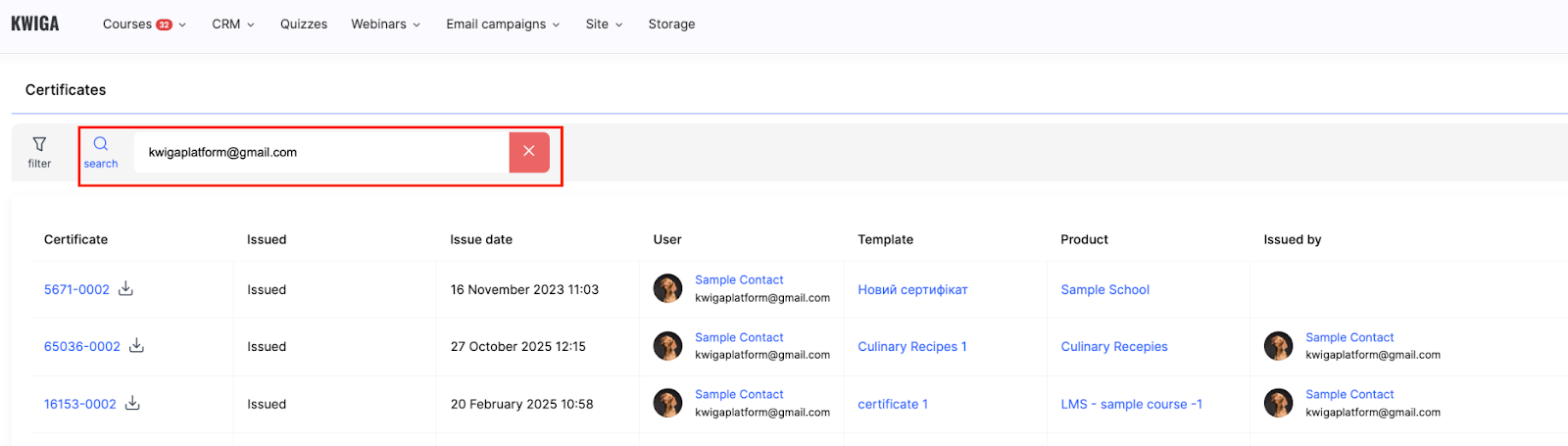
Simply enter the student’s name or email address in the search field, and the system will filter the results to show all certificates received by that user. This is convenient for checking an individual student’s certification history or preparing reports on their achievements.
Additional features
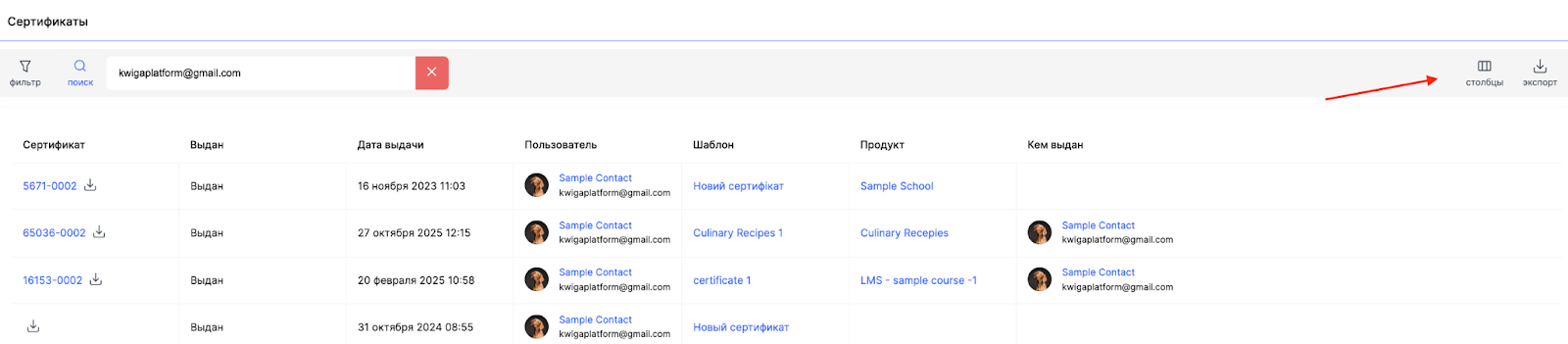
Columns — a button to configure the visibility of table columns, allowing you to customize the information display to your needs.
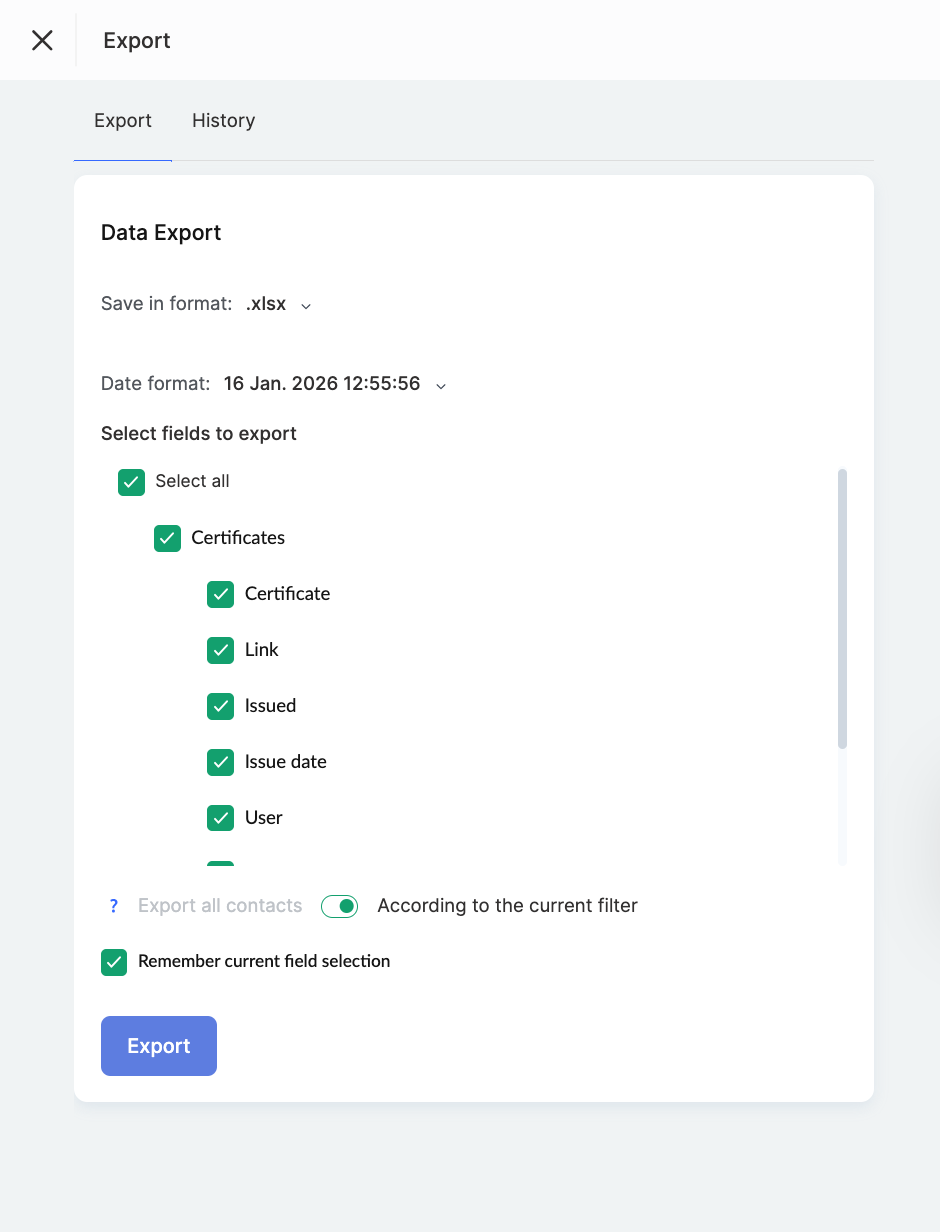
Export — the ability to export certificate data to an external file for further processing or archiving.
The Certificates Report is a convenient tool for monitoring issued certificates on the platform. With filters and search, you can easily review the certification history of a specific student or find all documents for a particular course.
Didn't find the answer? Contact the support service via online chat or Telegram